Failed Payments
Last updated: September 25, 2026
This is a guide that will teach you:
Failed payments overview
How to retry a failed payment
Failed payment fees
Failed payment notifications
Overview
When a payment is initiated, there are occasionally issues where the insured's bank/card issuer will fail to process it. If the program is financed and the downpayment fails, the loan will not bind and the insured's coverage can be impacted.
Common payment failure reasons include:
Insufficient funds (NSF)
Incorrect bank account info
Insured asks their bank to stop the payment
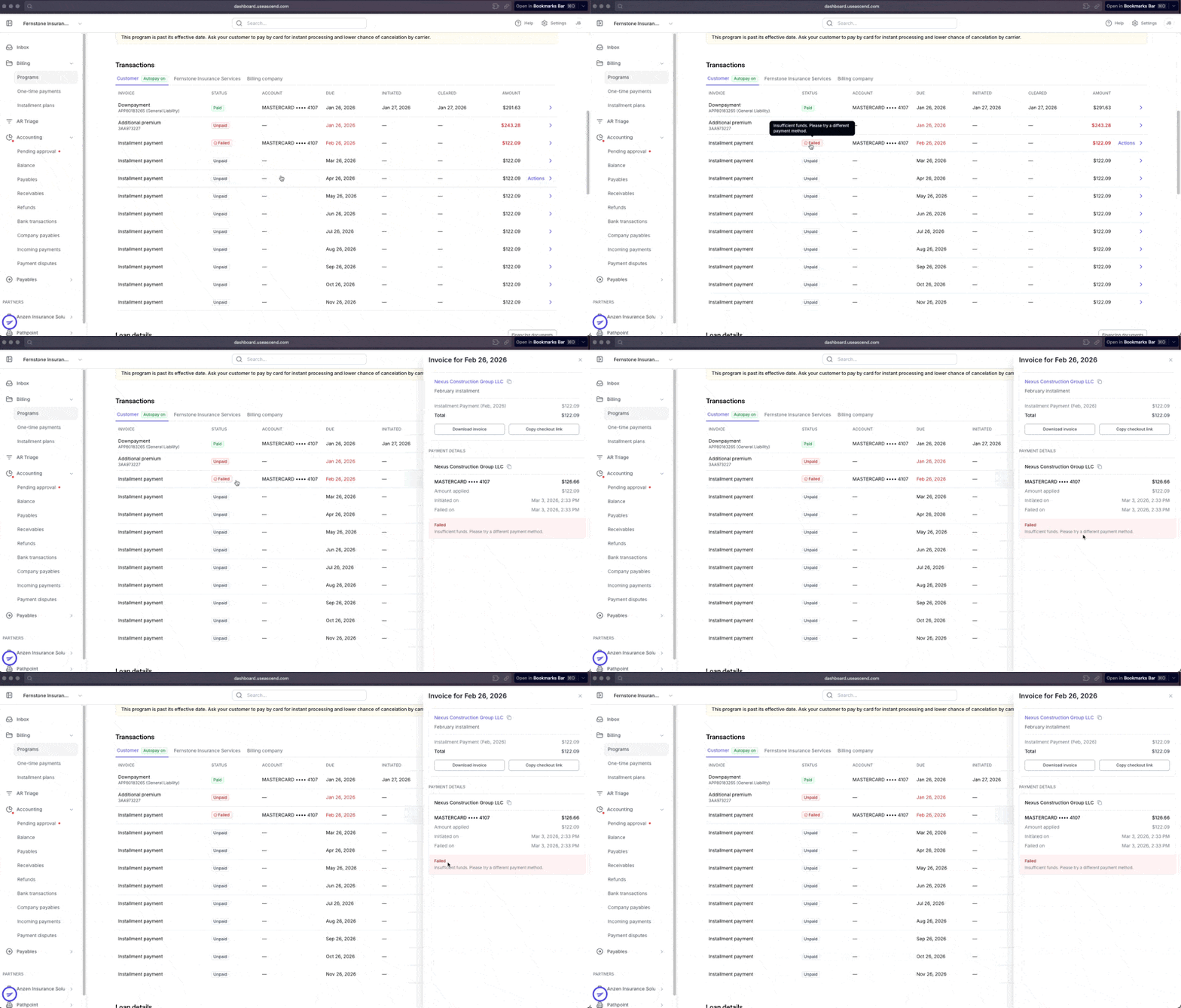
You can view the details of a failed payment by clicking on the associated transaction in the Transactions Section:
Failed payment fees
Ascend does not charge NSF/failed payment fees for payments in full or down payments.
If a payment fails on a premium finance monthly payment, fees may be incurred for failed payments depending on the state in which the insured is located. Applicable fees vary by state are listed in the premium finance agreement.
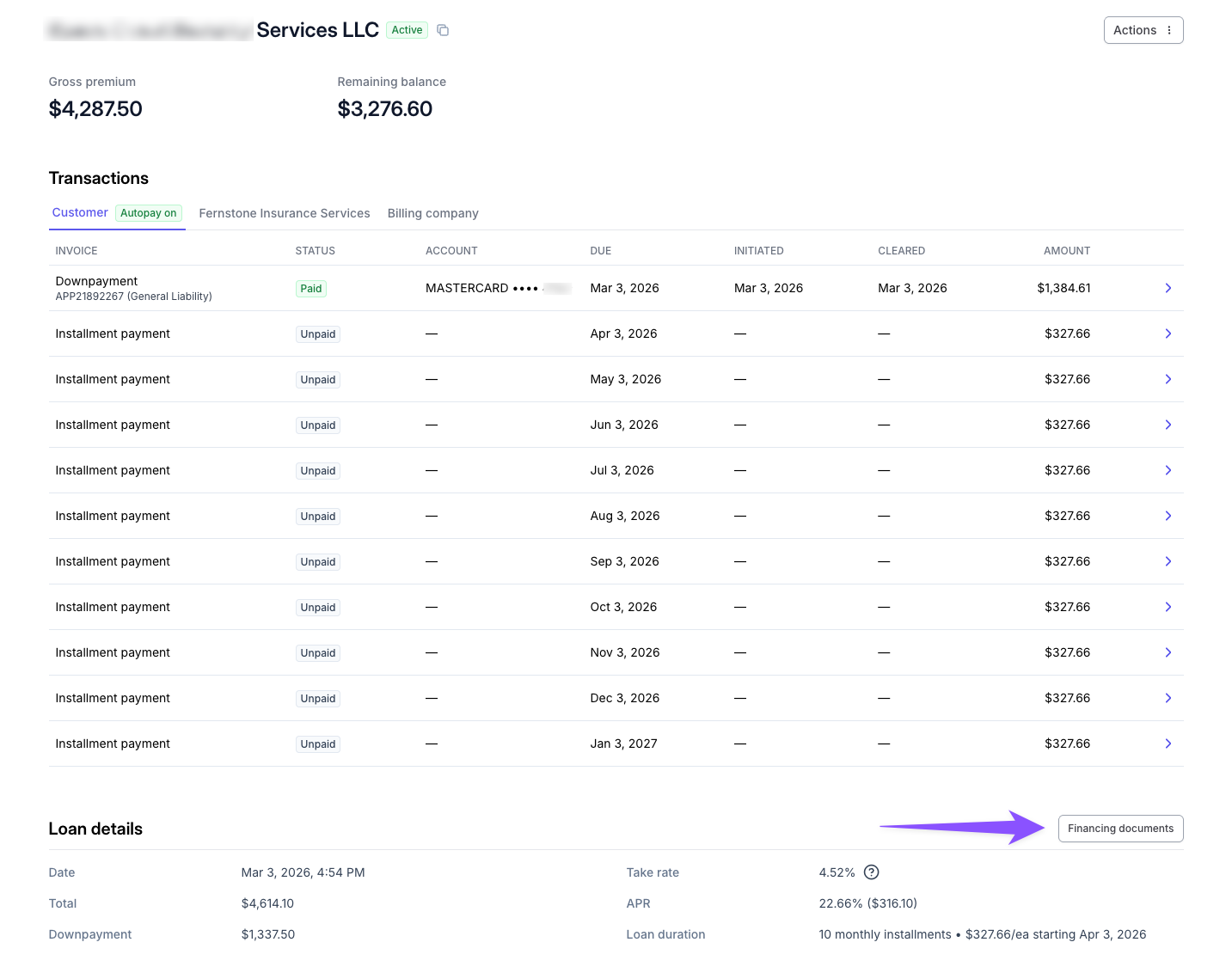
You can access the signed premium finance agreement by clicking the "Finance documents" button under the "Loan terms" section of the program page:
Failed payment notifications
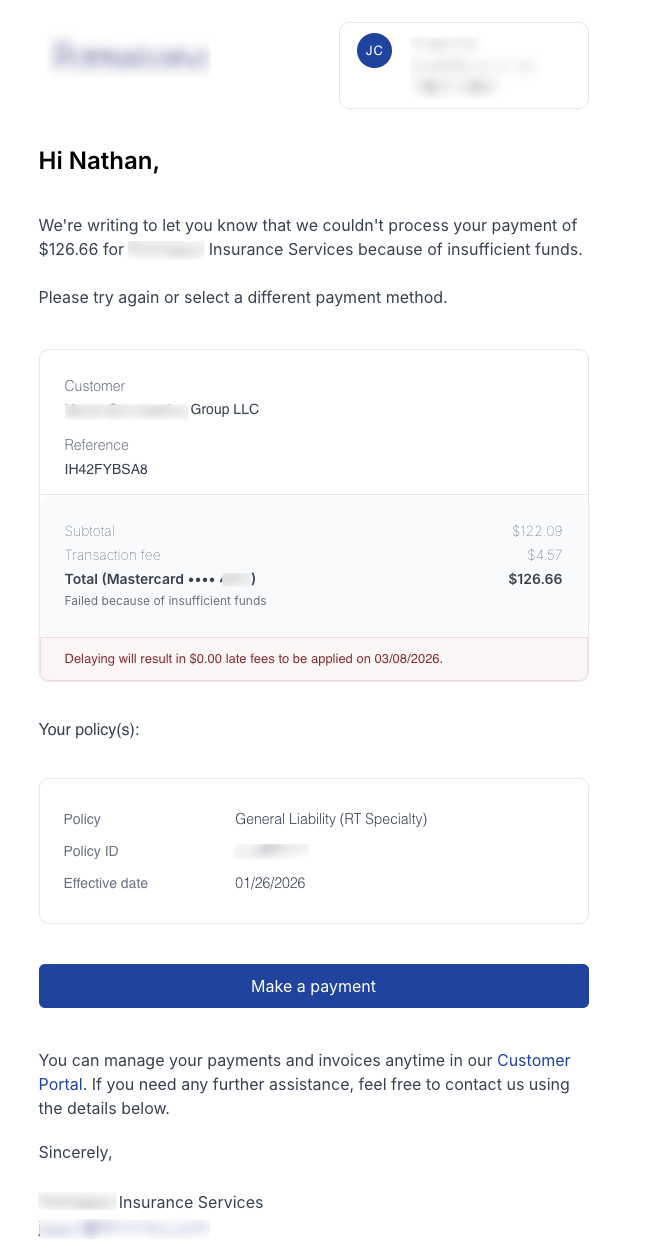
When a payment fails, an automated notification is sent to the Insured and to the Account Manager listed on the program. This email contains the details of the failure, as well as a link to resubmit the payment:
Retry a failed payment
When a payment fails, it will need to be retried as soon as possible to prevent late fees and cancellation for non-payment.
If a payment method fails multiple times, our payment processor (Stripe) will permanently block that specific card/account and the insured will need to provide an alternative payment method.
If your insured experiences a payment failure but they believe they have sufficient funds, we recommend they contact their bank to understand the reason for the failure before re-attempting payment.
Automatic payment retries
For financed policies, if the insured paid via credit card and they have autopay enabled, Ascend will automatically retry the failed payment daily for a maximum of 10 days. If the payment retry is not successful within this timeframe, the insured will need to retry the payment manually.
Manual payment retries
If the insured paid via credit card without autopay enabled, or they paid via ACH, they need to manually retry the payment using the payment link. This link can be found in the failed payment email notification, on the program page, and in the Customer Portal.
Ascend support does not have the ability to manually retry failed payments. Any failed payment will need to be re-submitted using the payment link provided.
Contact Us
Need more help? Contact us at support@useascend.com or start a chat for more help.