Incoming Payments: Return Premium Workflow
Last updated: August 6, 2026
When a policy is canceled or endorsed, your team may receive return premium funds from a carrier or MGA that need to be applied back to the insured's program or loan.
If received as a check, Ascend supports depositing and applying these funds from Incoming Payments.
Note that the cancelation or reducing endorsement needs to be created in Ascend before this workflow can run. For more information on that, please see here for reducing endorsements and here for cancelations.
Return Premium Workflow
Deposit the check
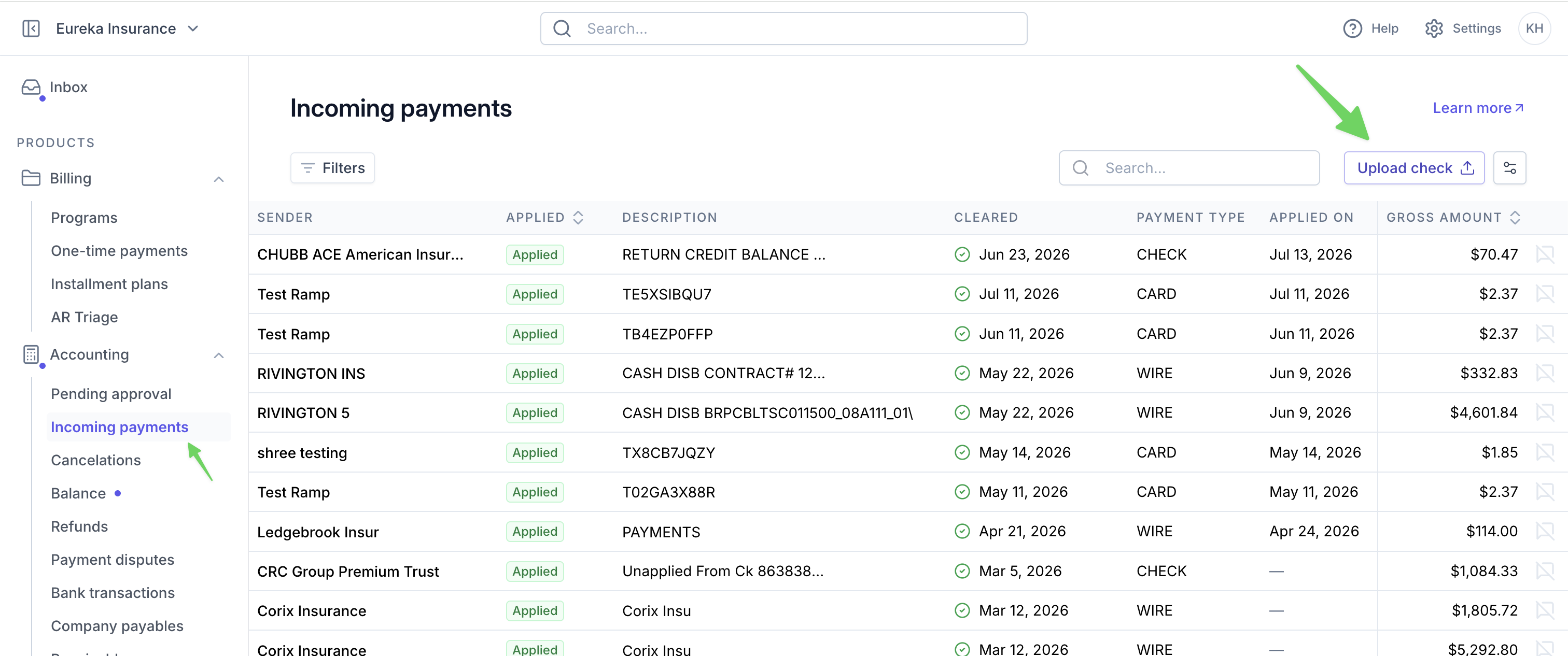
Navigate to Incoming Payments
In the top right corner of the page, select Upload check
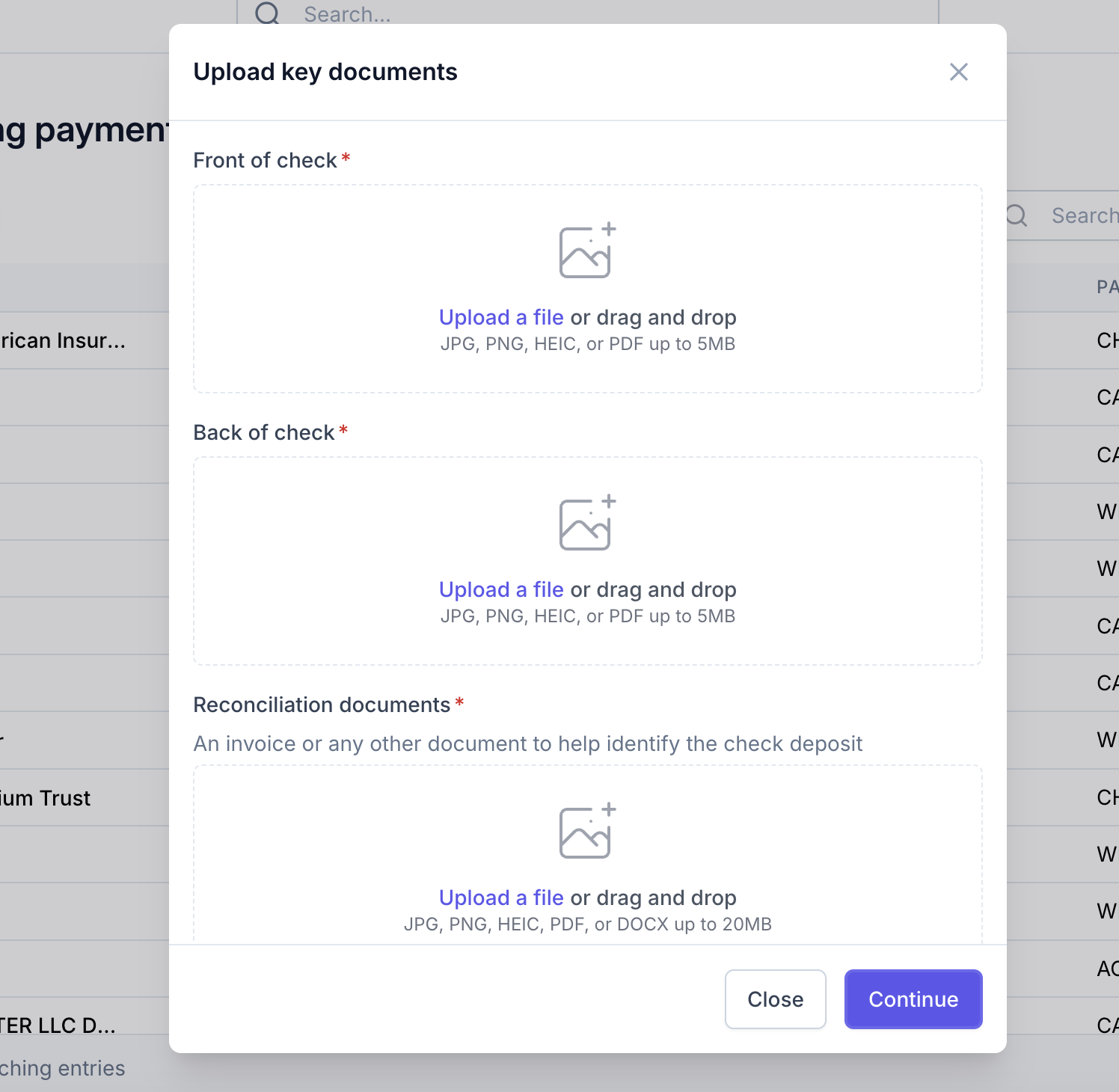
Upload the Front, Back, and any reconciliation docs (such as the relevant cancellation invoice) for the check
Checks should be endorsed as follows
Pay to the order of
Grasshopper Bank
026015244
For deposit only
<Agency name>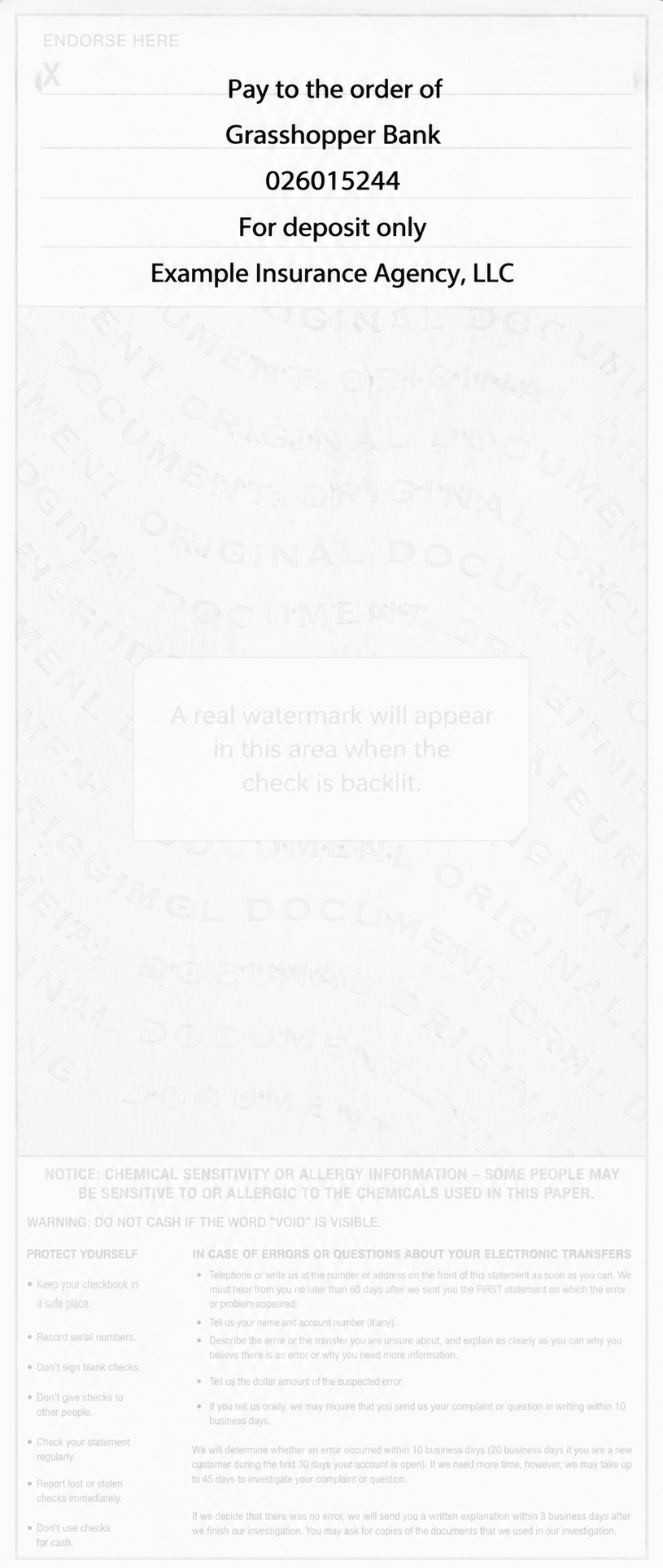
Search and select the relevant return invoices
Select Return Invoices from the dropdown. This will allow Return Invoices to be surfaced in the search.
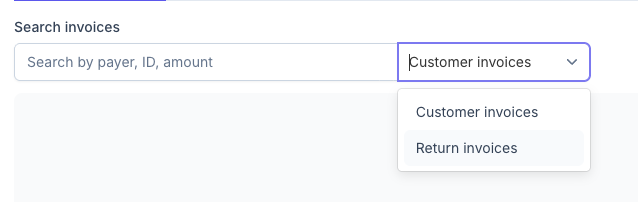
Use the search field to locate and select return invoices.
This can be completed before the check clears processing
The payment must be fully consumed by the selected invoices.
All invoices must be fully paid by the payment; no partial payments.
Click Apply payment
If the Return Premium invoice amount does not match the payment amount, you will need to edit the Return Premium invoice for the corresponding policy. This can be completed on the policy's program page.
Frequently Asked Questions
Q: Why are some invoices not available to be selected?
A: Return premium invoices may be billed to the retail organization, or to an MGA/Carrier. Invoices that are billed to different parties cannot be selected together. If the payer for a return premium invoice needs to be updated, do so on the relevant program page before attempting to apply funds.
Q: Can I partially pay a return premium balance?
A: No, return premium balances must be paid in full. If the return premium amount needs to be updated, this should be done from the relevant program page before attempting to apply funds.
Q: The payment amount is for more than the invoiced amounts, how can I resolve?
A: The payment amount must be fully consumed by the invoices to which it is being applied. If a return premium invoice amount is incorrect, then it should be updated from the relevant program page. If the return invoice amounts are correct and the payment amount still exceeds the invoice amounts, there is likely a missing invoice for another policy cancellation or endorsement, either for that insured or for another insured related to that MGA/Carrier.