Using Ascend's AMS 360 integration to post receipts and apply cash
Last updated: July 6, 2026
This is a guide that will teach you:
How to use Ascend's general ledger integration for AMS 360
If you are looking for instructions on how to set up the integration, see here
AMS360: Receipt Posting Workflow
Once a customer makes payment in Ascend, you can use Ascend's integration to post the receipt to AMS360 and apply cash to transactions/invoices. In some cases, you may first require you to match transactions between AMS 360 and Ascend.
Step-by-step Guide
How-to Guide
Go to Incoming Payments
Select a payment row with the status "Needs matching" (or use the filter card at the top of the page to view all payments that require matching)
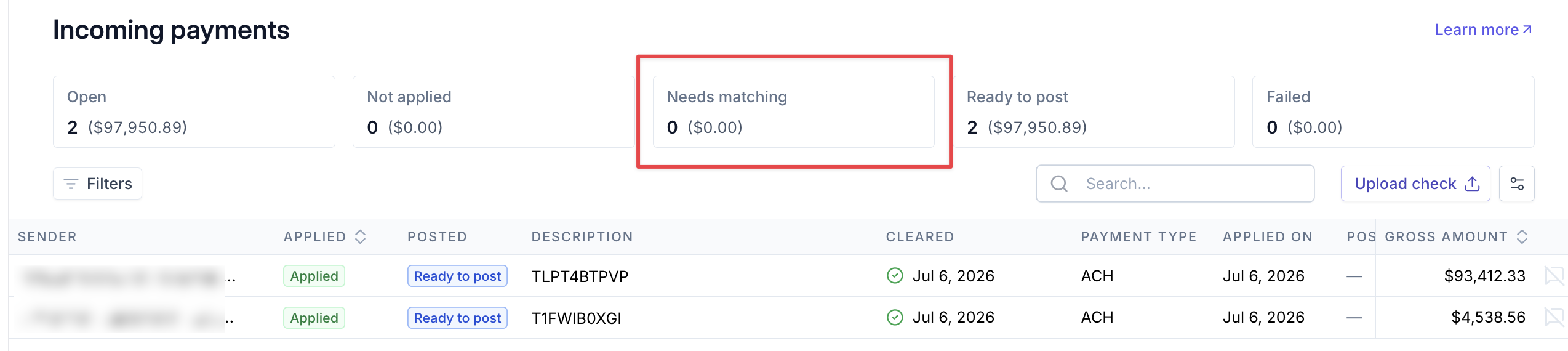
Select a record
This will open the Payment Detail page, where you can see the Quote(s) that the payment was applied to.
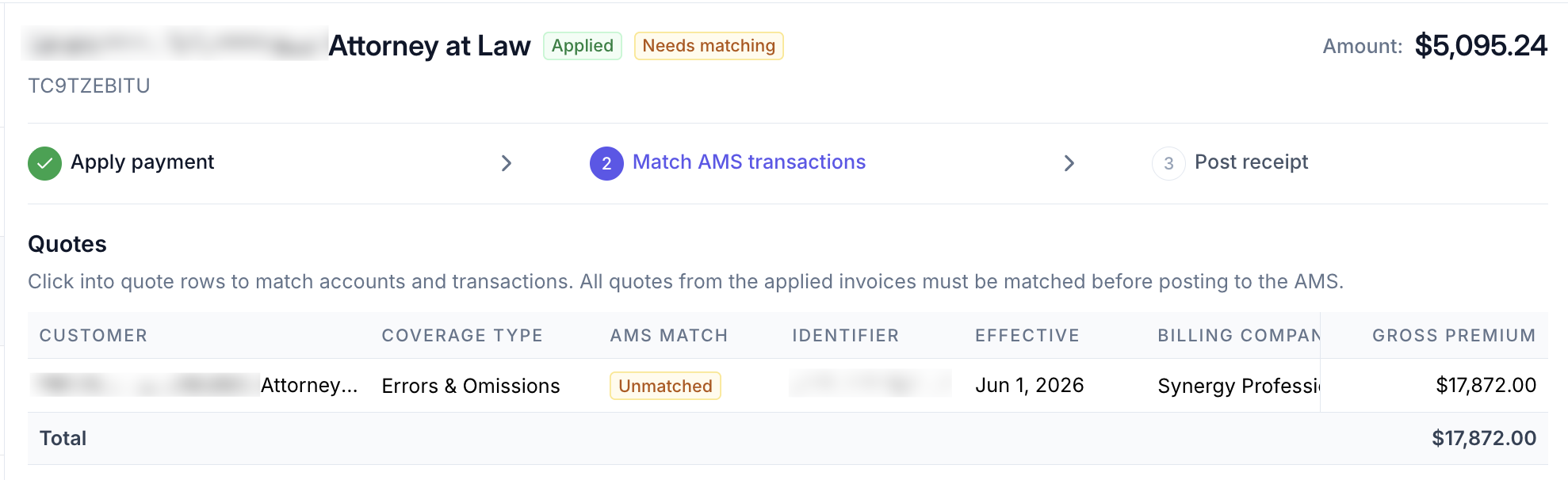
Select a quote
This will open a drawer where you can link the customer's Account, Policies, and Transactions in AMS360 to the Ascend Quote.
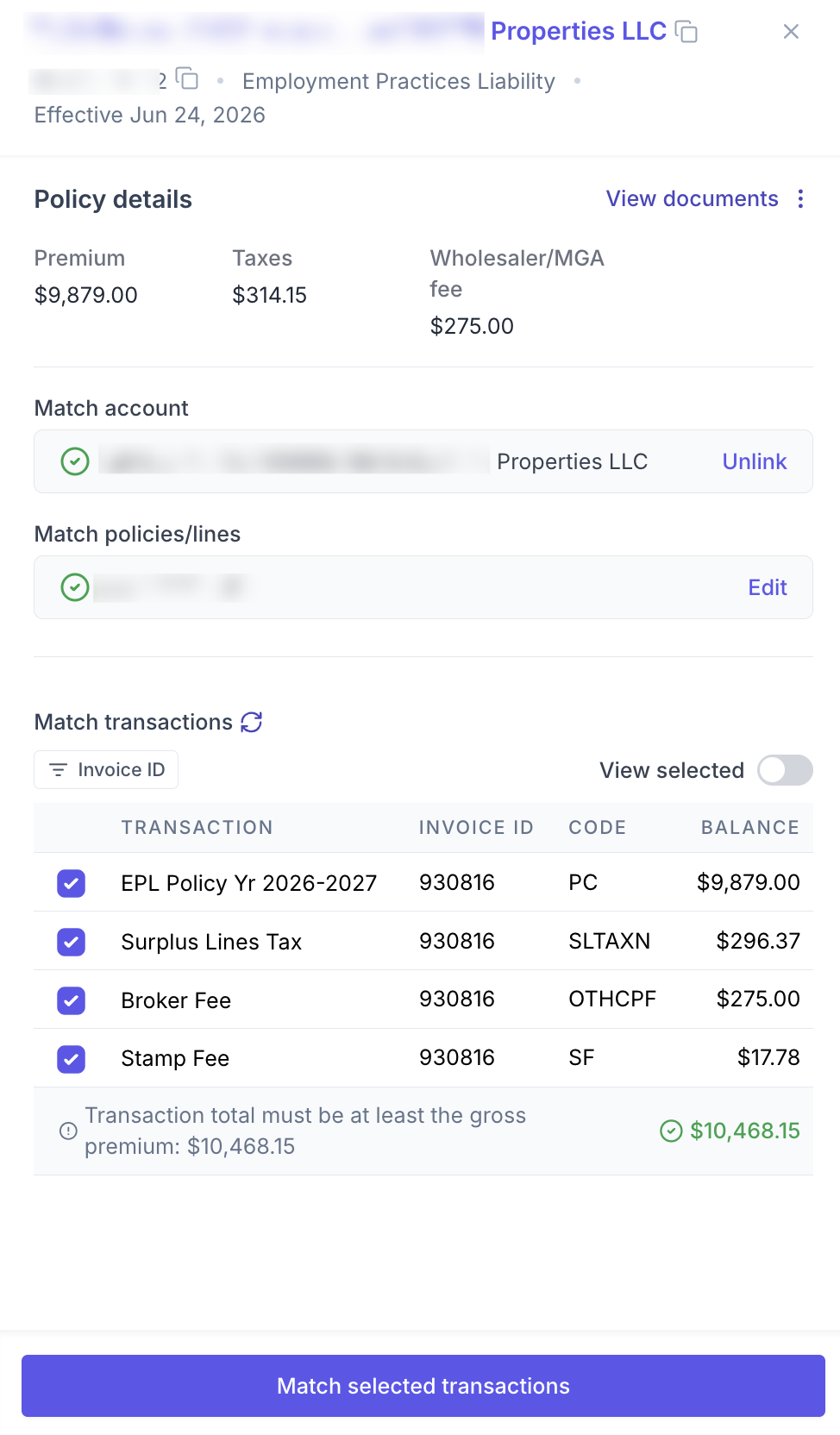
If you are unable to see the correct account or policy when matching, click the "Import from AMS" button to do a deeper search:
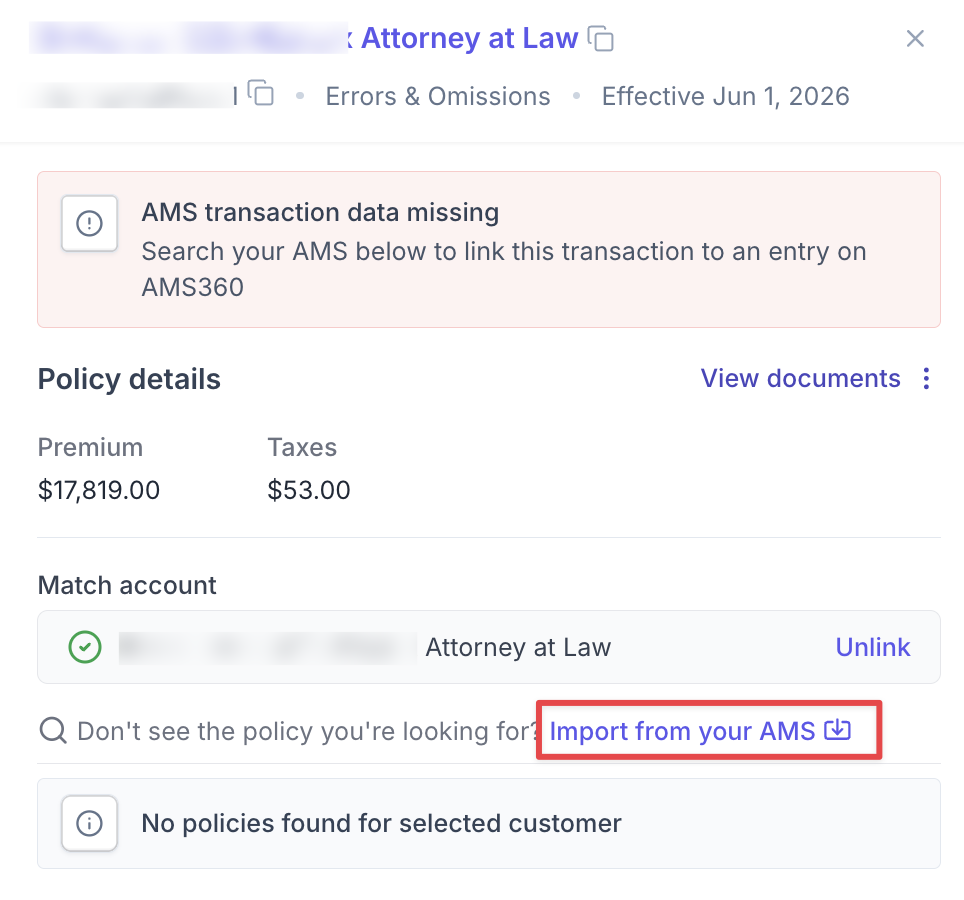
Once all transactions have been selected, click "Match selected transactions", close the drawer, and click "Post to AMS"
Note: The transaction total must be at least the gross premium of the invoice.
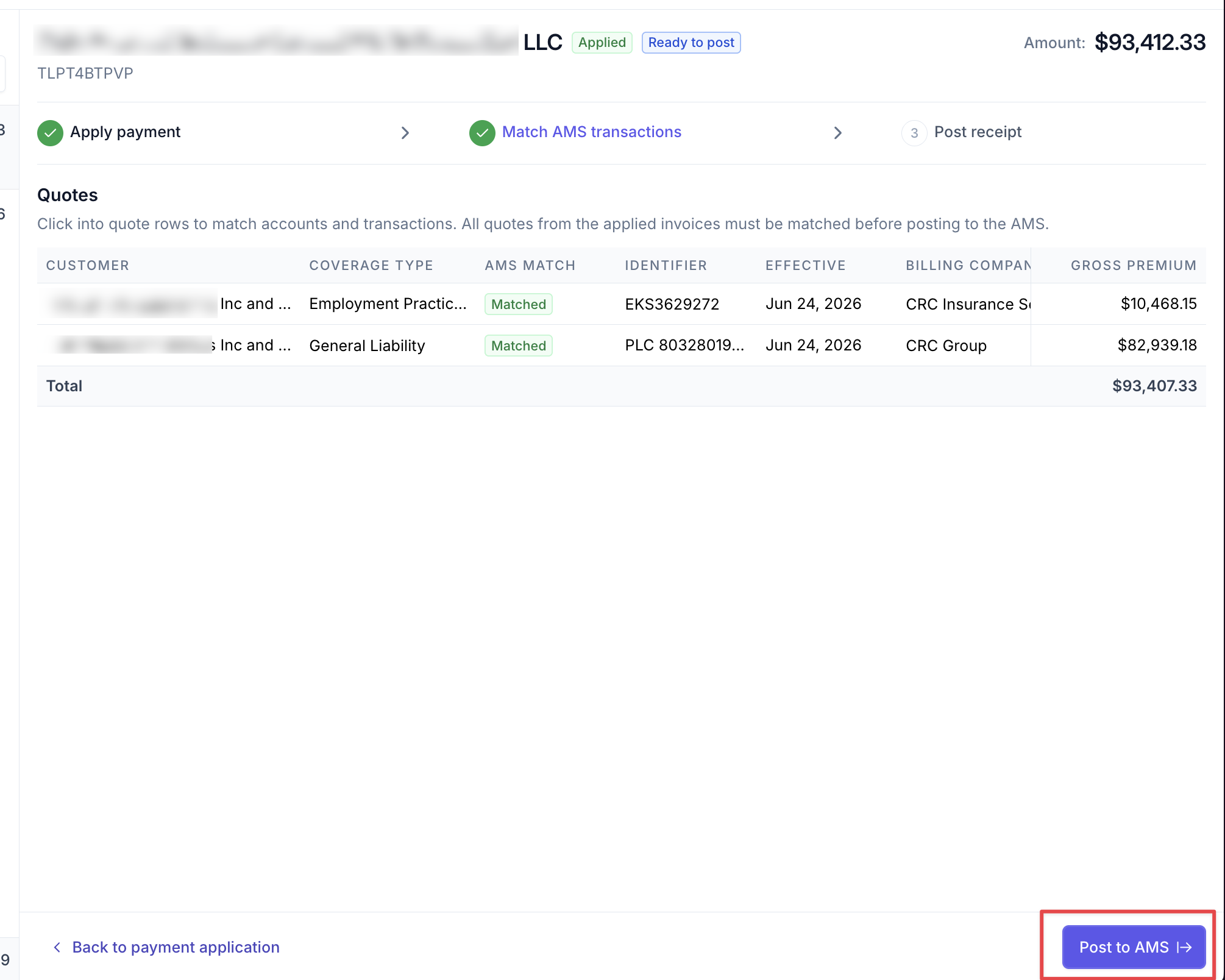
Once posting is complete, you can verify in AMS 360 that the receipt(s) were accurately created and applied to the transactions.
Once the receipt is posted, there will be a balance for the gross premium in the FBO account in AMS 360. To resolve the balance:
You'll need to create an interbank transfer to move the commission into your agency's operating account
You'll need to disburse to the carrier from the FBO account. Ascend does not currently support payables reconciliation in AMS 360.
Contact Us
Need more help? Contact us at support@useascend.com for more help.